Platter · 2024–25 · Case study · 5 min

An agency’s internal tools, turned into an app any store can install.

Platter built checkout and post-purchase extensions for the Shopify brands it ran as an agency. They worked, but only the team could set them up. I turned them into Platter+, a self-serve Shopify app that helps Shopify Plus merchants raise average order value and conversion. A merchant installs and configures it in minutes, without a developer or a support ticket.

Role
Product designer
Did
Flows, UX, Polaris UI, onboarding
With
The CEO and engineering
When
Jul 2024 – Mar 2025
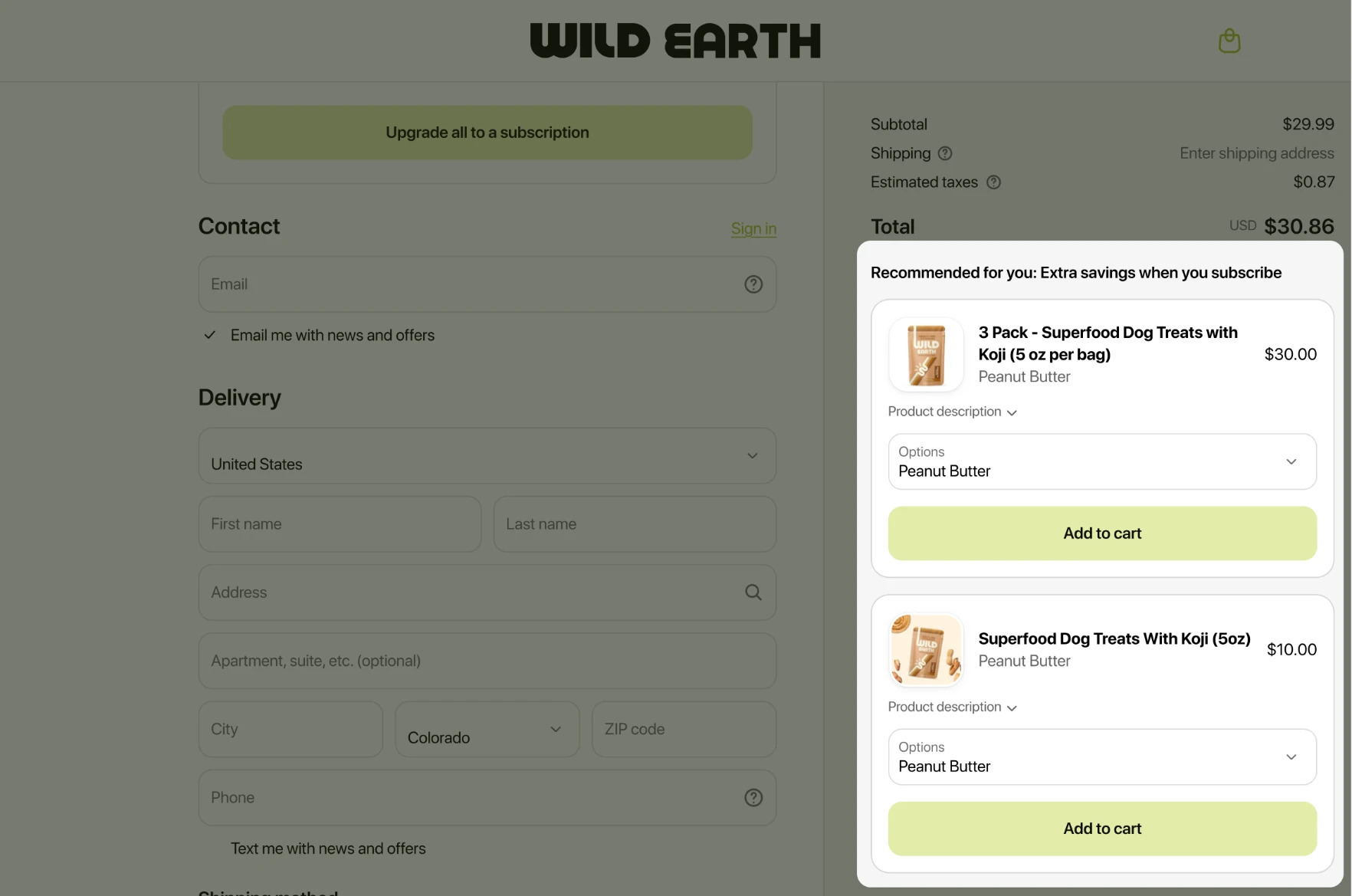
A Wild Earth checkout with a Platter+ block, Recommended for you: Extra savings when you subscribe, offering two dog-treat products with Add to cart buttons

01 · Where it started

Built for the team, not for merchants.

The first versions were made for internal use. The CEO and team set them up by hand for each brand they worked with, about 60 on an ongoing basis, and every change was a support request.

The flows didn’t hang together, patterns varied from screen to screen, and none of it used Polaris, Shopify’s design system. Apps on the Shopify App Store have to follow Polaris closely, so very little could be kept. It was less a redesign than designing the product from scratch.

BeforeAgency toolConfigured by Platter, per brand, by hand
CostSupport loadEvery new offer or tweak was a request
AfterPlatter+Merchants install and set it up themselves
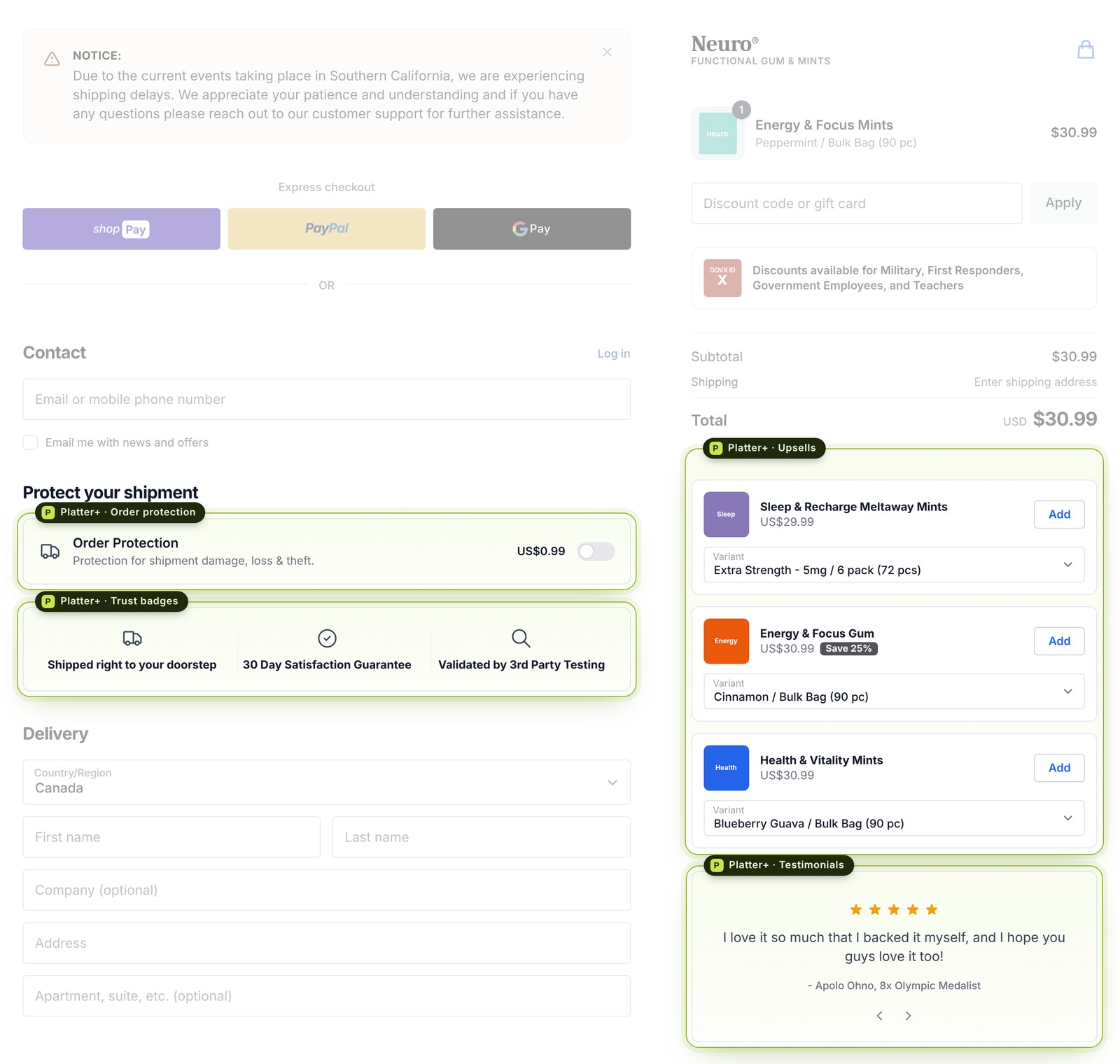
A Neuro checkout with the Platter+ extensions highlighted: order protection, trust badges, three product upsells and a testimonial carousel; the rest of the checkout is faded

02 · What the extensions do

Two places to sell, before and after payment.

Checkout extensions add blocks to the checkout page itself: product upsells, shipping protection, trust badges and testimonials.

Post-purchase offers add a page between payment and the thank-you page. The customer can add products to the order they just paid for in one click, and still sees a single charge on their statement.

Pricing scales with results: plans are set by the revenue Platter+ processes each month, with a guaranteed 5x return.

Freeup to $1,250
$249up to $2,500
$499up to $5,000
$749up to $7,500
$749 + 5%above $7,500
1CheckoutUpsells, protection, trust, reviews
2Post-purchaseOne-click offers after payment
3Thank youOrder confirmed

03 · Plug and play

Set up in steps, not in a support thread.

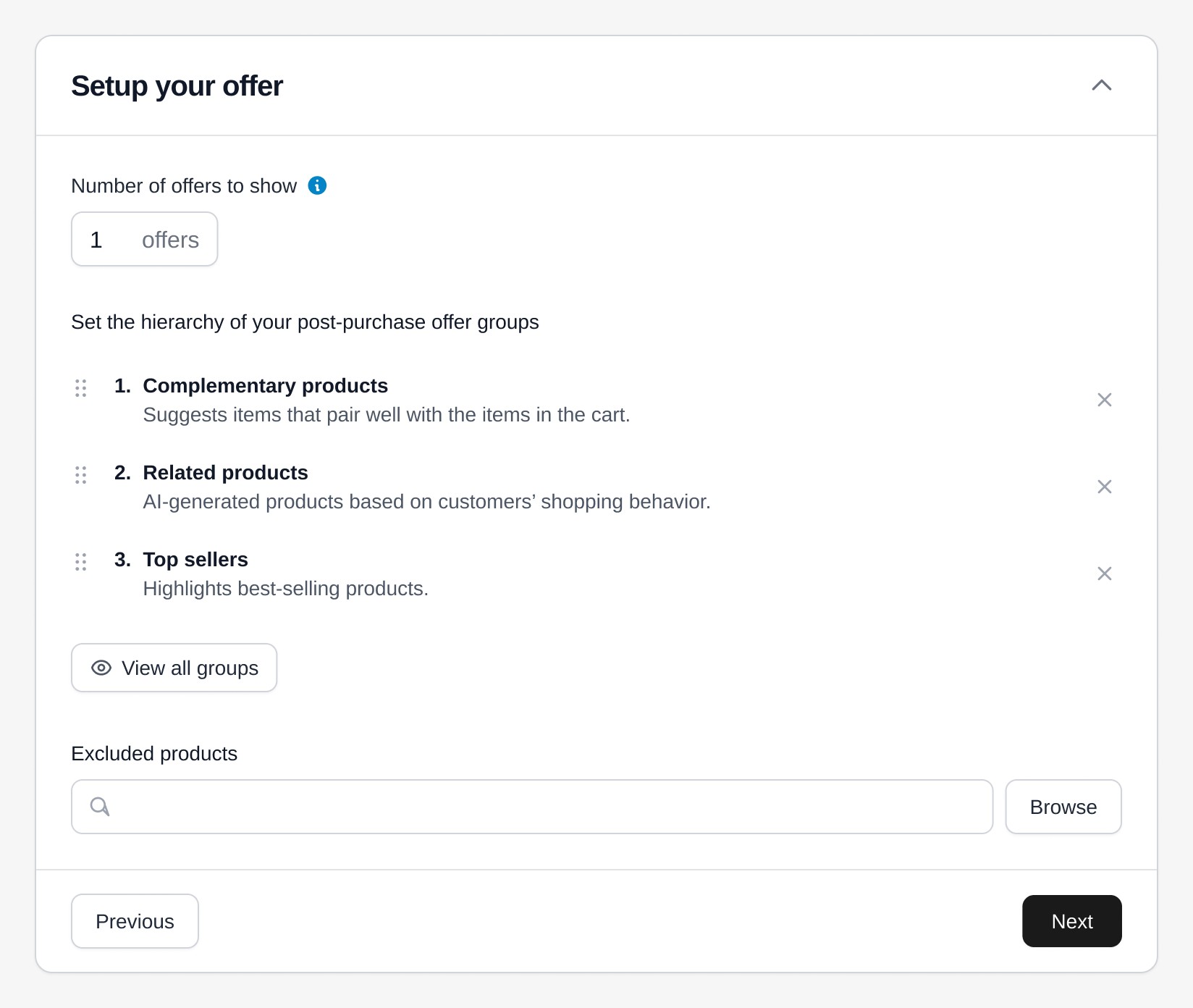
Each extension became a short guided setup, one step open at a time with Previous and Next. For post-purchase offers, merchants choose how many offers to show, drag offer groups into the order they should be tried (complementary products, AI-related products, top sellers) and exclude anything they never want offered.

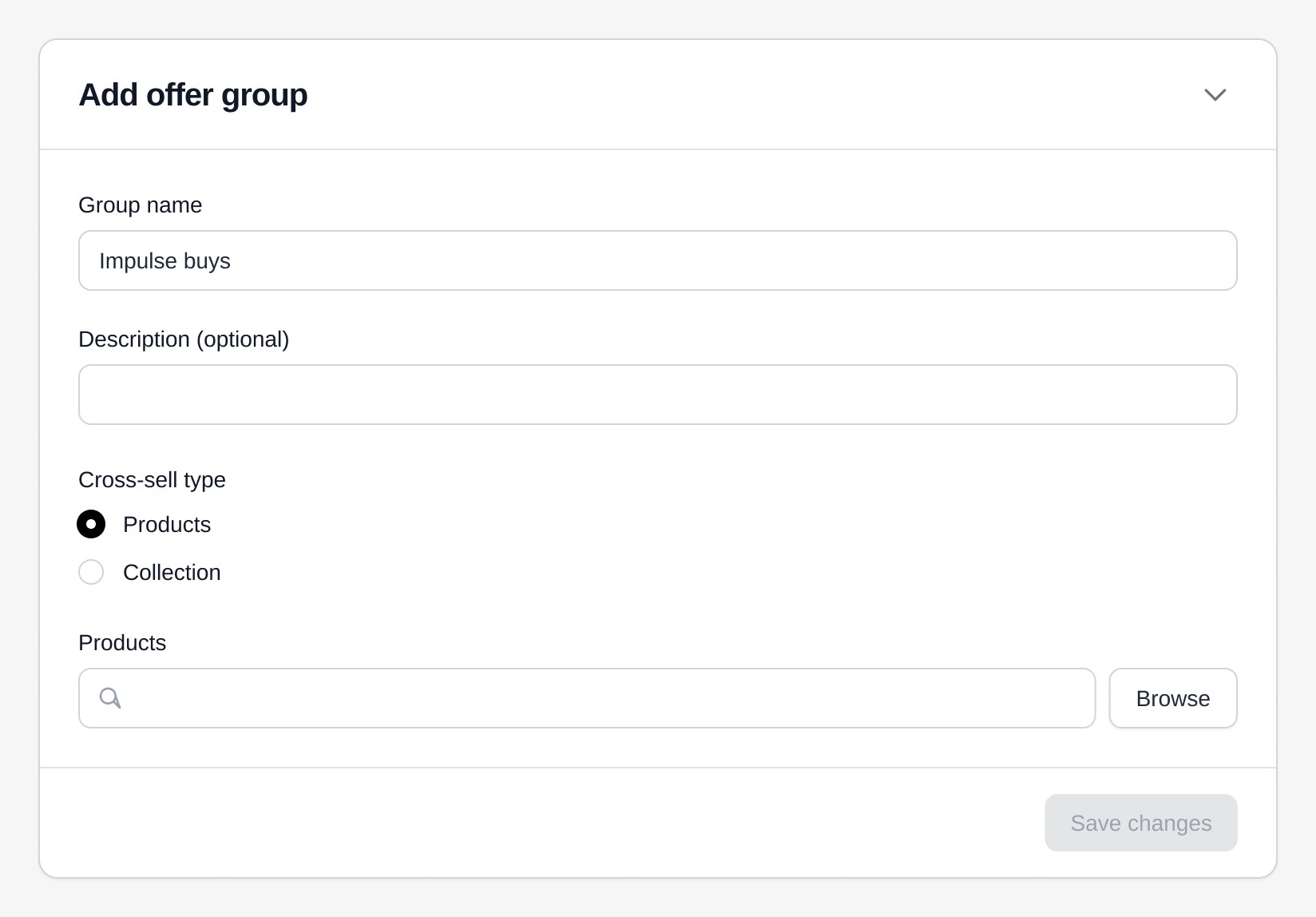
Groups are their own simple form: a name, a cross-sell type of products or a collection, and a product picker. What used to take a call with our team became a few fields.

Everything uses Polaris components, so it looks and behaves like the rest of Shopify admin.

Setup your offer: number of offers to show, a drag-to-reorder hierarchy of offer groups (complementary products, related products, top sellers) and excluded products, with Previous and Next
Add offer group: a group name, optional description, cross-sell type of products or collection, and a product picker

The extension library

Twelve building blocks, filtered by the goal.

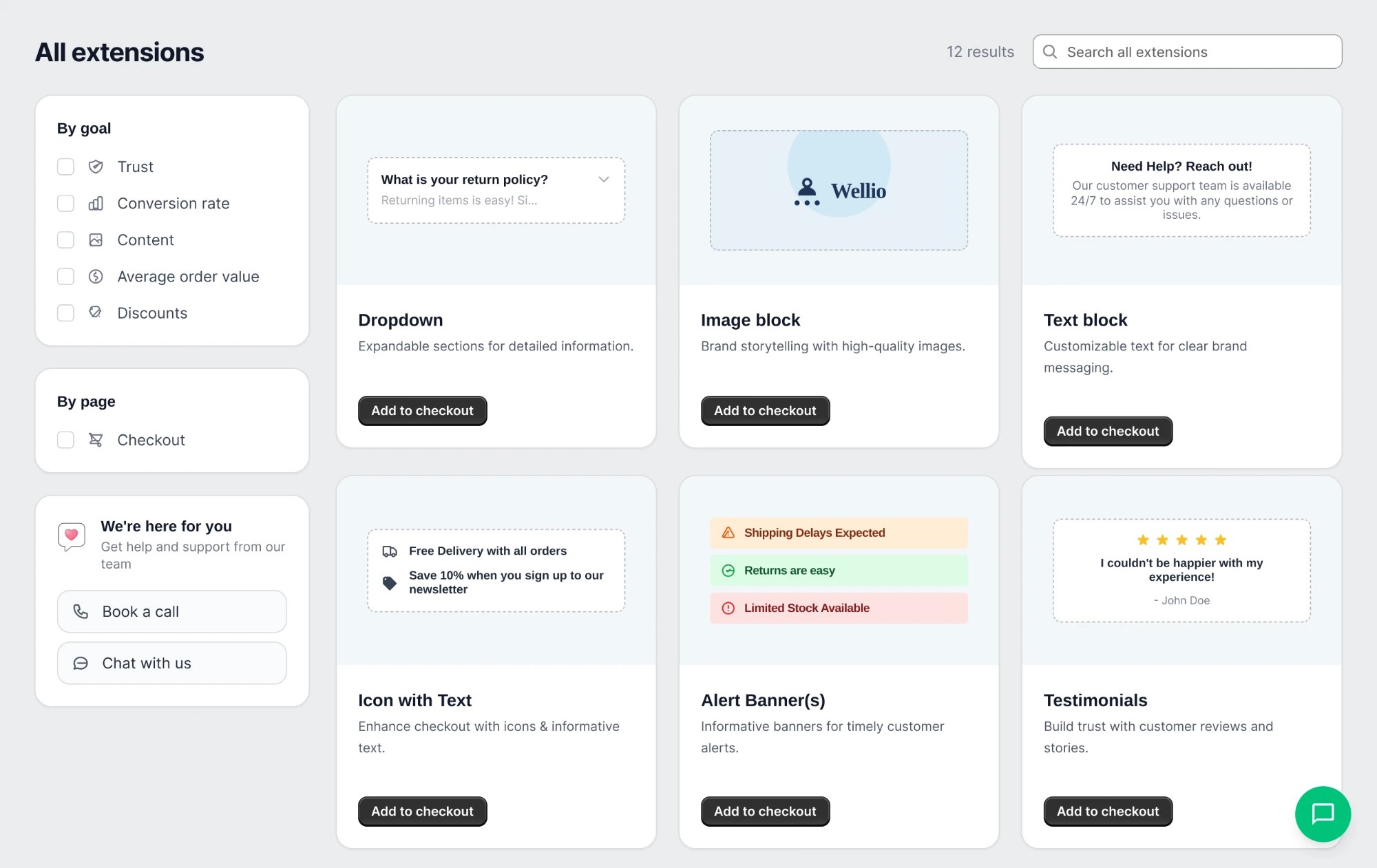
Merchants browse extensions by what they want to improve (trust, conversion rate, content, average order value, discounts) and see each one previewed as it will look in checkout, with one button to add it.

All extensions: filters by goal and page on the left, and cards for Dropdown, Image block, Text block, Icon with text, Alert banners and Testimonials, each with a live preview and an Add to checkout button
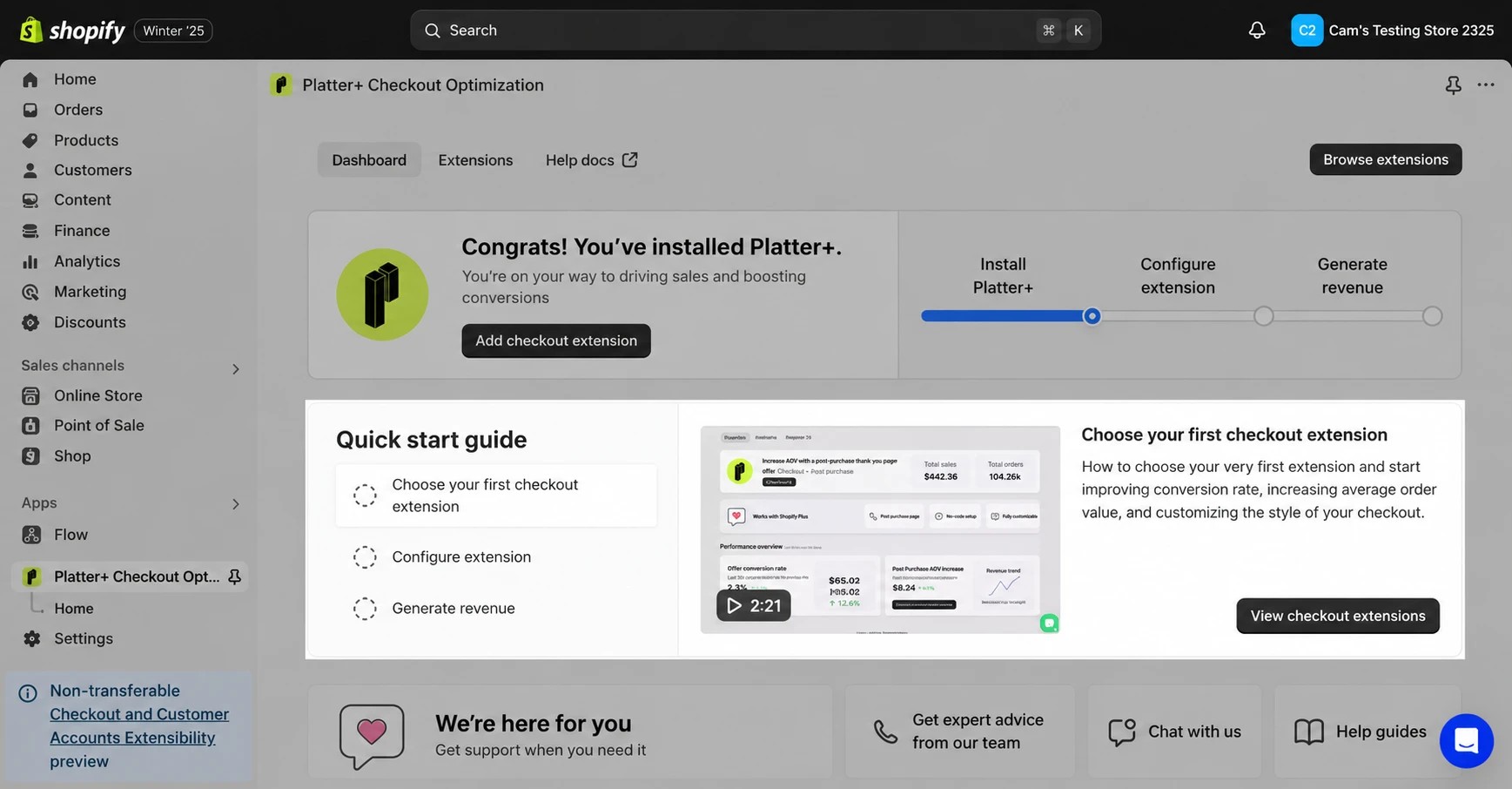
The Platter+ dashboard inside Shopify admin: a congratulations banner, a three-step progress bar and a quick start guide with a video

04 · Onboarding

From install to first revenue.

After installing, merchants land on a dashboard with a progress bar (install, configure, generate revenue) and a quick start guide. Each task has a short video next to it, so nobody has to read docs to get going.

Installing takes under two minutes: find Platter+ on the App Store, click Install, approve the permissions and subscription in Shopify, and the dashboard opens.

Onboarding videos

Choosing your first extension

Activating post-purchase offers

05 · Designing inside Shopify’s rules

Post-purchase is powerful, and fenced in.

Shopify decides when the post-purchase page appears, so the setup had to be honest about when an offer won’t show. A few of the rules that shaped it:

Card payments onlyNot shown for wallets and instalments like Apple Pay, Google Pay, Klarna or Afterpay, or gift cards.
Online Store, $0.50 and upOther sales channels and very small orders don’t qualify.
Up to three accepted offersPer checkout, on a single post-purchase page.
One app at a timeStores with several post-purchase apps have to pick a default in checkout settings.

06 · What happened

From a service to a product.

Setup requests

10→2

Setup requests to the team each month, once brands could configure Platter+ themselves.

Month one

15

Existing client stores upgraded to Platter+ in the first month after launch.

App Store

25

Five-star reviews, from Shopify Plus stores.

Self-serve

~60

Brands moved from hand-configured setups to self-serve.

Next: VidsyAn inspiration library people actually opened.

Screens are from Platter+ and stores using it.