Canvas is the learning platform my master's programme runs on, and its dashboard answers the wrong question. It shows courses. I needed to know what is due, what is overdue, what I have not read, and what is happening this week, across all three courses at once. So I built a Chrome extension that replaces the Canvas dashboard with a page that answers those questions, in that order.
Role
Designer and builder, solo, with an AI pair-engineer
Context
UC Irvine MHCID, three concurrent courses on Canvas
Status
Working extension on my own account · interactive preview with sample data
Peer review: Week 1282 DESIGN · AssignmentDueMon, Oct 19In 3 days
Week 2 Reading & Application281 USER NEEDS · Assignment0/2 readingsDueMon, Oct 19In 3 days
Wednesday, October 21· In 5 days
Week 2: Field Site Memo281 USER NEEDS · AssignmentDueWed, Oct 21In 5 days
Done
280 OVERVIEW · Week 0Readings & materials1 of 1 done
Week 0 OverviewPage
The same week of sample coursework, the way Canvas presents it: three course cards, a To Do list of assignments only, and nine tabs to get to the readings. Switch to see the same items re-sorted by time.
01
The problem
Three courses, three of everything.
Canvas organises itself by course. Each course has its own modules, assignments, discussions, announcements and grades, and the dashboard is a grid of course cards. That is fine for an administrator. For a student with three courses it means every question is answered three times, in three places, in three different orders. The result, in my first weeks of the programme, was a Monday ritual of opening nine tabs and a notebook. The extension replaces the notebook.
What is due?Next, then this weekOne deadline at the top; the seven-day count next to it
What did I miss?Overdue and behindLate assignments and unread readings, counted together
What is new?AnnouncementsUnread count on the tile; the list at a glance
Organise by time, not by course. The course is a label on each item, not the thing you navigate.
02
How it was built
Canvas data, re-sorted.
The extension reads from the Canvas API (courses, modules, assignments, discussions, announcements, grades, calendar) and rebuilds the page as one timeline. Nothing is stored anywhere but the browser. The preview you see here runs on sample data so it can be shown without exposing a real account; in the extension the same page shows my real courses.
1FetchEvery course's items through the Canvas API
2MergeOne list, sorted by due date, tagged by course
3ClassifyAssignment, reading, lecture or class, with done state
4RenderTiles, week, list, calendar, board, at a glance
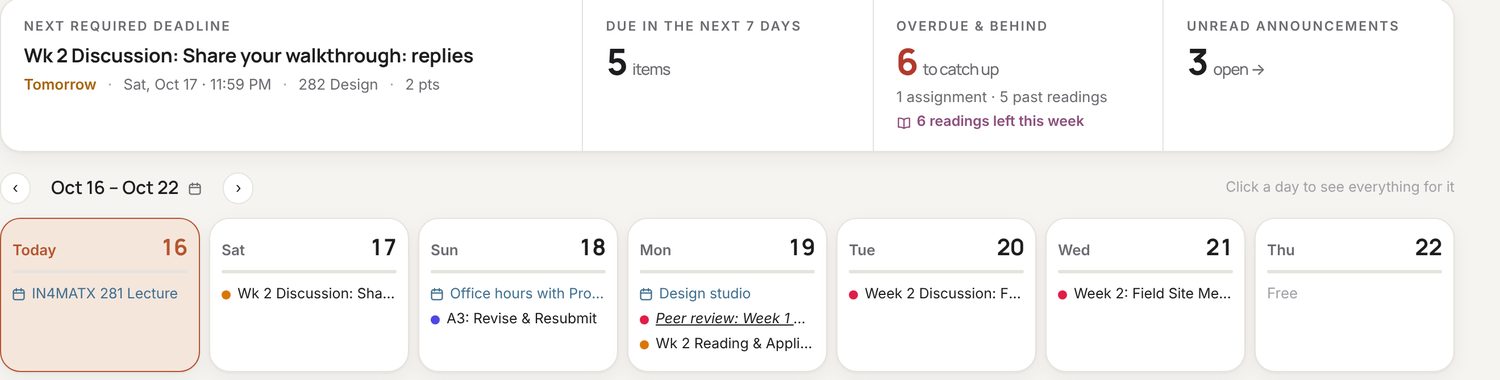
The real first screen. It answers the first three questions, then shows the week, and never changes shape.
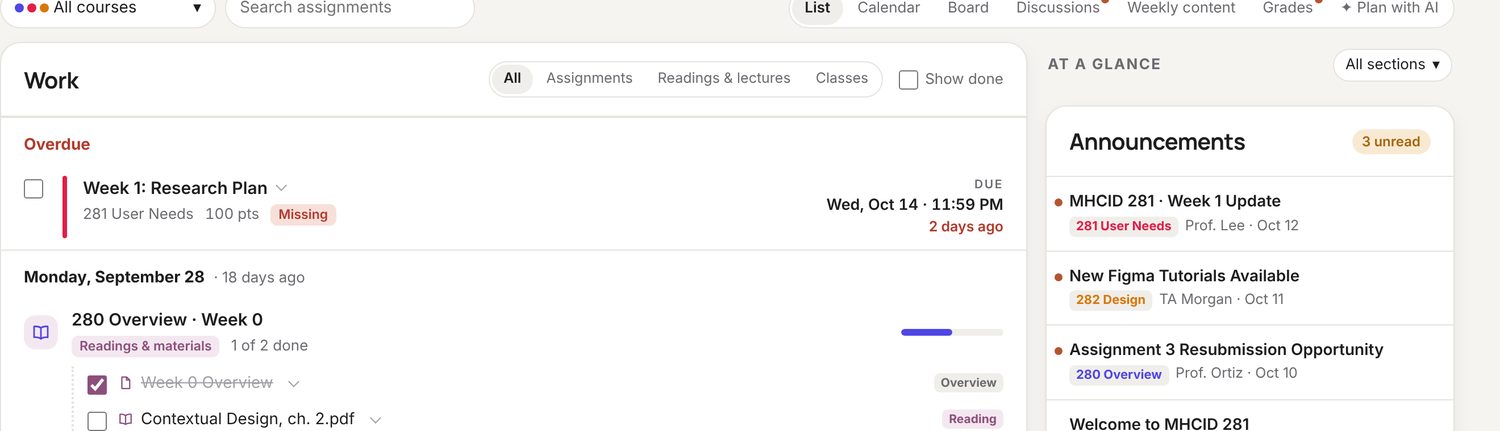
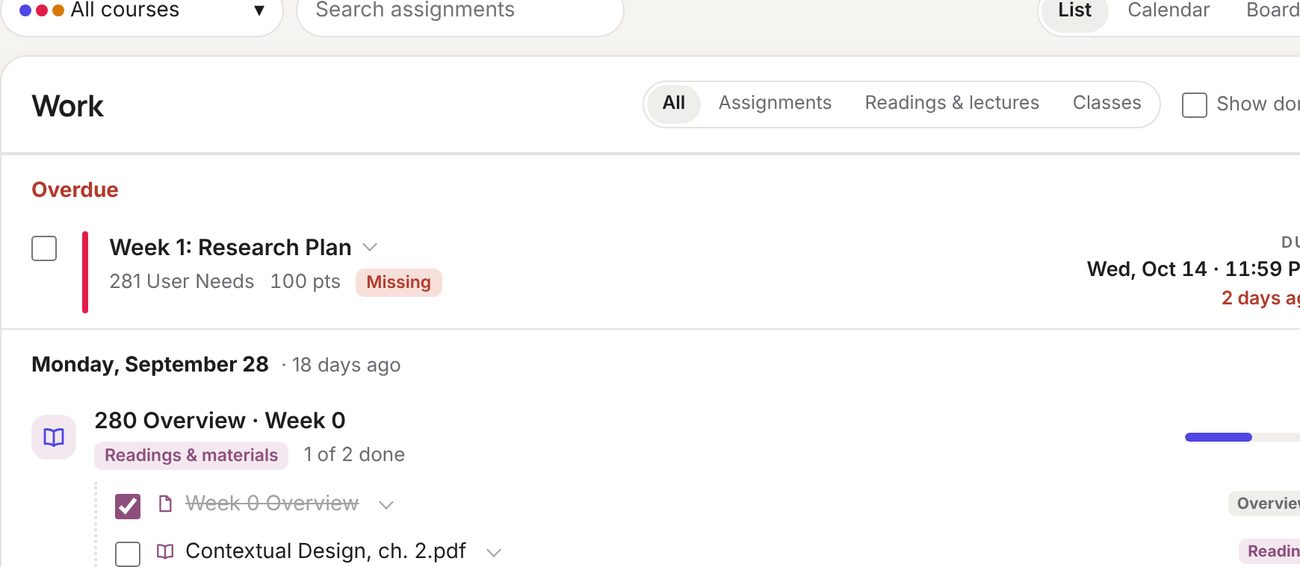
List is the default: overdue pinned at the top in red, then items grouped by date, with a progress bar per module.
03
What I decided
Four questions, answered in order.
Each decision is a place where Canvas's own structure got in the way of the question I was asking, and the dashboard answers the question instead.
Q1 · What is due?
Lead with the next required deadline.
The top-left tile is the single next thing that is due and required, with its course, points and time. Beside it: how many things are due in seven days, how many are overdue or behind (with the readings counted separately, because "six readings left this week" is a different kind of behind), and how many announcements are unread.
Below that is the week, one column per day, with each day's items coloured by course. The whole first screen fits above the fold and never changes shape.
ShippedInformation hierarchyOwn usage
Next, this week, behind, new. Then the days.
Q2 · What did I miss?
Readings are work too, and they get ticked off.
Canvas treats a reading as a module item, not a task, so it never shows up as something to do or something done. The Work list merges assignments, readings and lectures into one list grouped by date, with filters for each, a "show done" toggle, and a progress bar per module so "1 of 2 done" is visible without opening anything.
Overdue items are pinned at the top in red with how late they are. The list is honest before it is kind.
ShippedTask designOwn usage
Overdue first, then the dates. Readings tick off like anything else.
Q3 · Which way do I want to see it?
The same items, six ways.
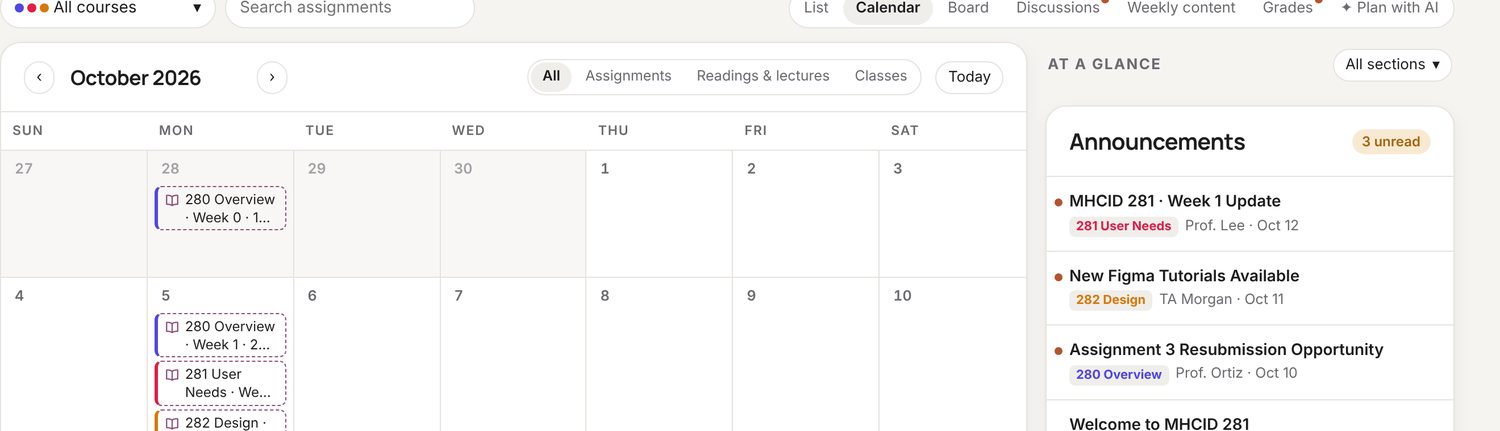
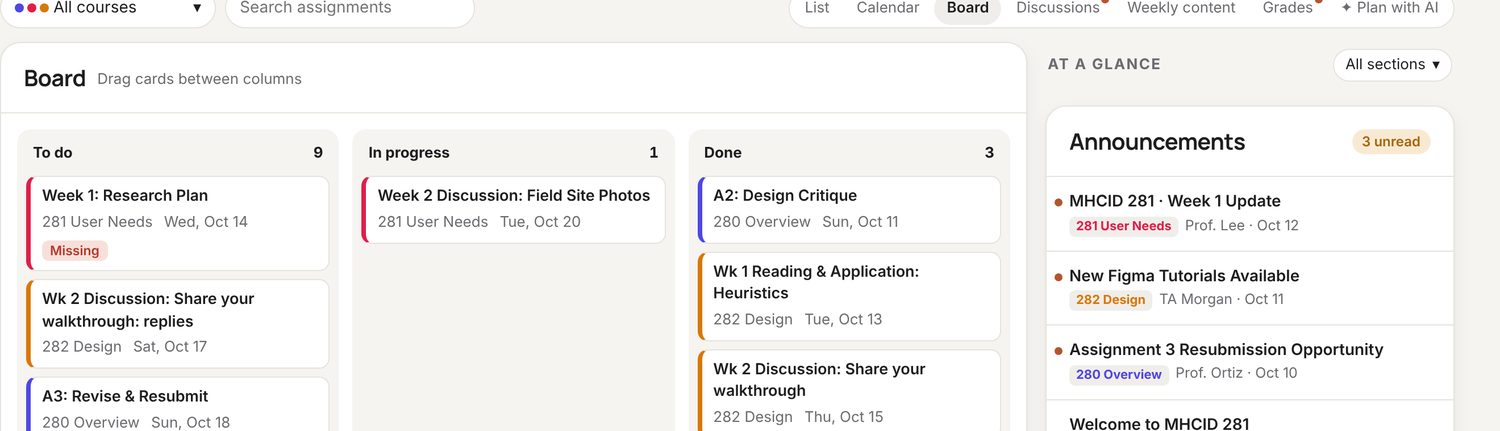
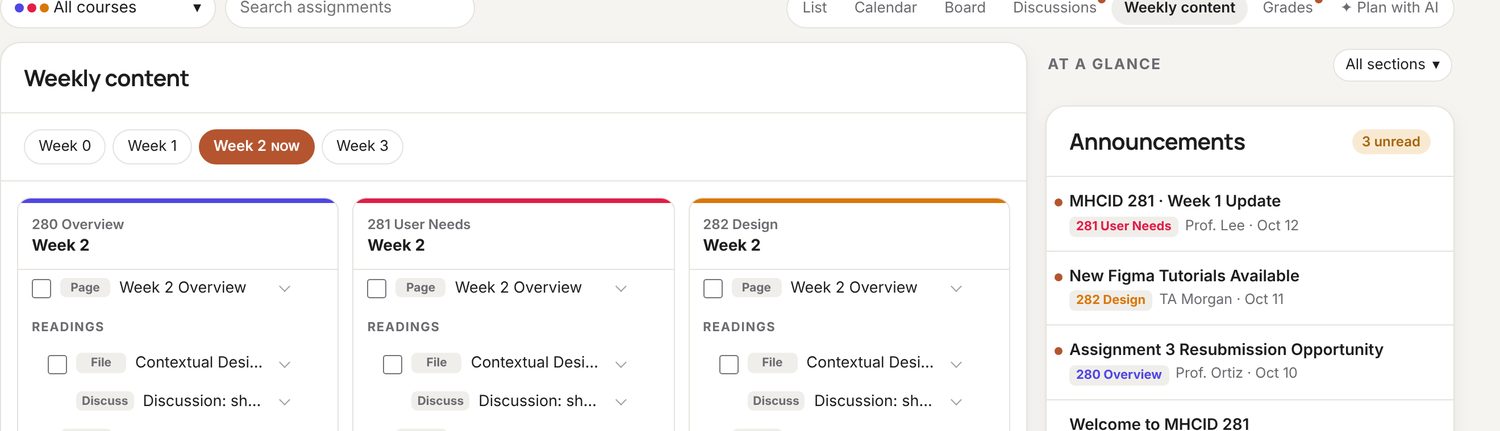
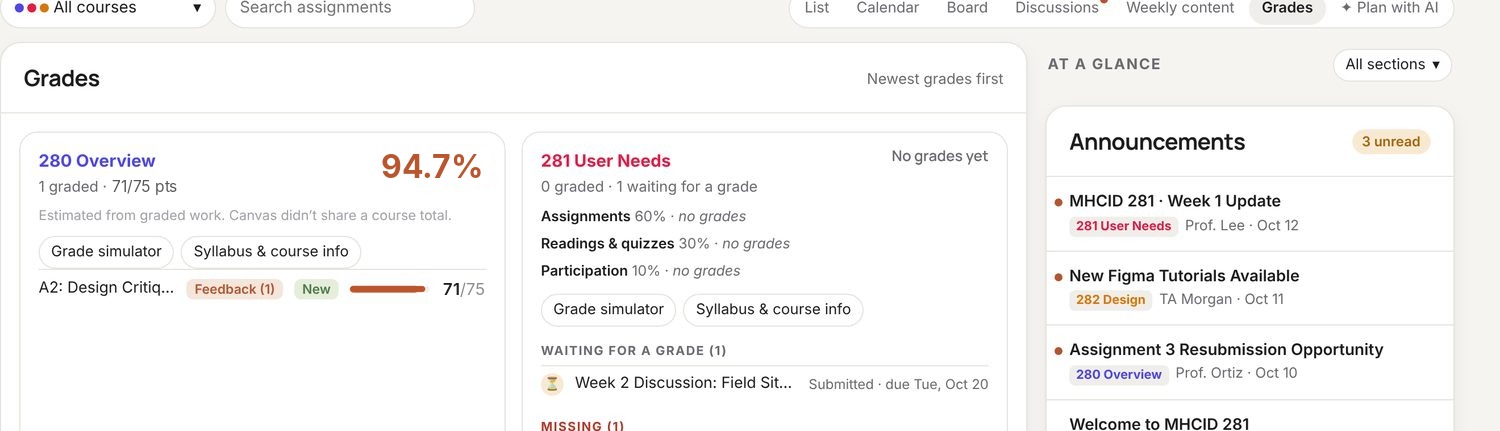
List is the default. Calendar is the same items on a month. Board is a to-do / in-progress / done kanban you can drag between. Discussions and Weekly content are filtered views for the two item types that behave differently from assignments. Grades sits at the end because it is the question you ask least often. One search box across all of it, because the course prefix ("A3") is usually all I remember.
ShippedMultiple viewsOwn usage
Board: drag cards between columns; the same items as the list.
Q4 · What is new?
Announcements stay in the corner.
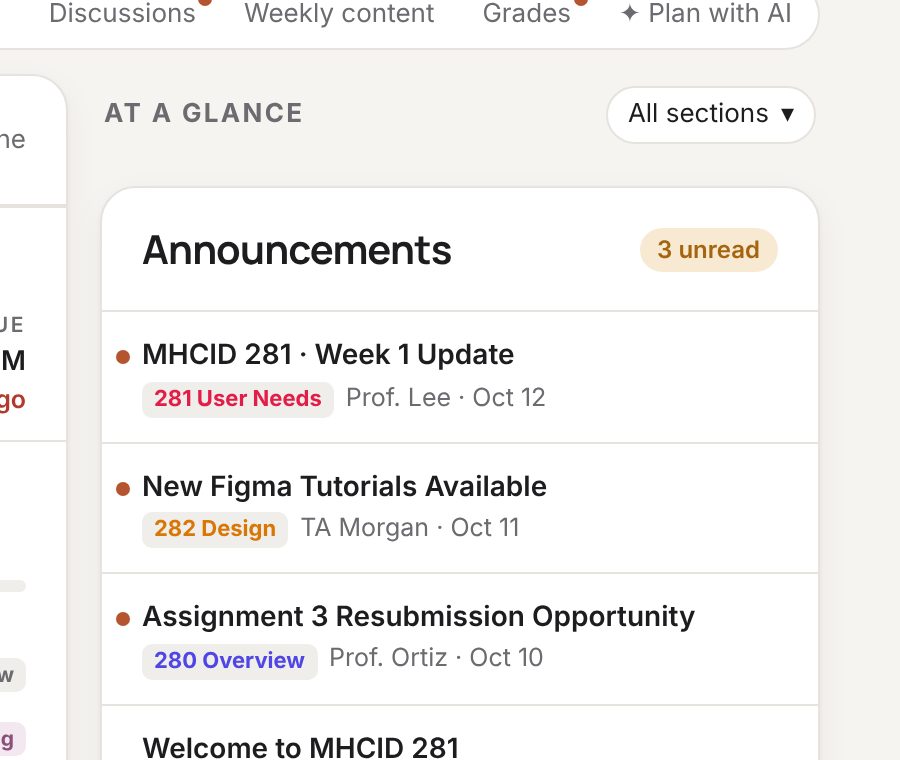
The right rail holds announcements with their unread count and a course picker for sections. It is always visible but never in the way. Canvas puts announcements inside each course; here they are one stream, newest first, with the course as a tag.
ShippedPeripheral informationOwn usage
One stream of announcements, course as a tag.
04
What changed
Nine tabs to one.
I use it every day of the programme. The Monday notebook is gone, and so is the specific failure it existed to prevent: a reading due that I did not know existed because it lived in a module I had not opened. I have no metric beyond that and have not tried to invent one; this is a tool I built for a problem I had, and the problem went away. It is not published: it reads a Canvas account, which makes a public listing a different kind of project. The preview with sample data is how I show it.
Shipped as
Chrome extension
Replaces the Canvas dashboard on my own account. Preview with sample data for everyone else.
Courses merged
3
One list, one calendar, one board, one announcement stream.
Monday tabs
9 → 1
The ritual it replaced.
Readings missed
0
Since switching. The failure it was built to prevent.
Published
Not yet
A Canvas-reading extension is a permissions and support project.
Method: own use across a semester. No analytics; the extension stores nothing outside the browser.
05
Differently
What I'd change with hindsight.
I'd have built the Board view last, or not at all. It is the view I use least, and it was the most work. The list with a good "done" state turned out to be the whole product.
I'd have asked two classmates to try it in week two. I built it for my habits; theirs may be different, and the extension would be better for knowing.
And I'd note that a side project built to fix your own week is the fastest research you will ever do, because the participant is always available and never polite.