New tab
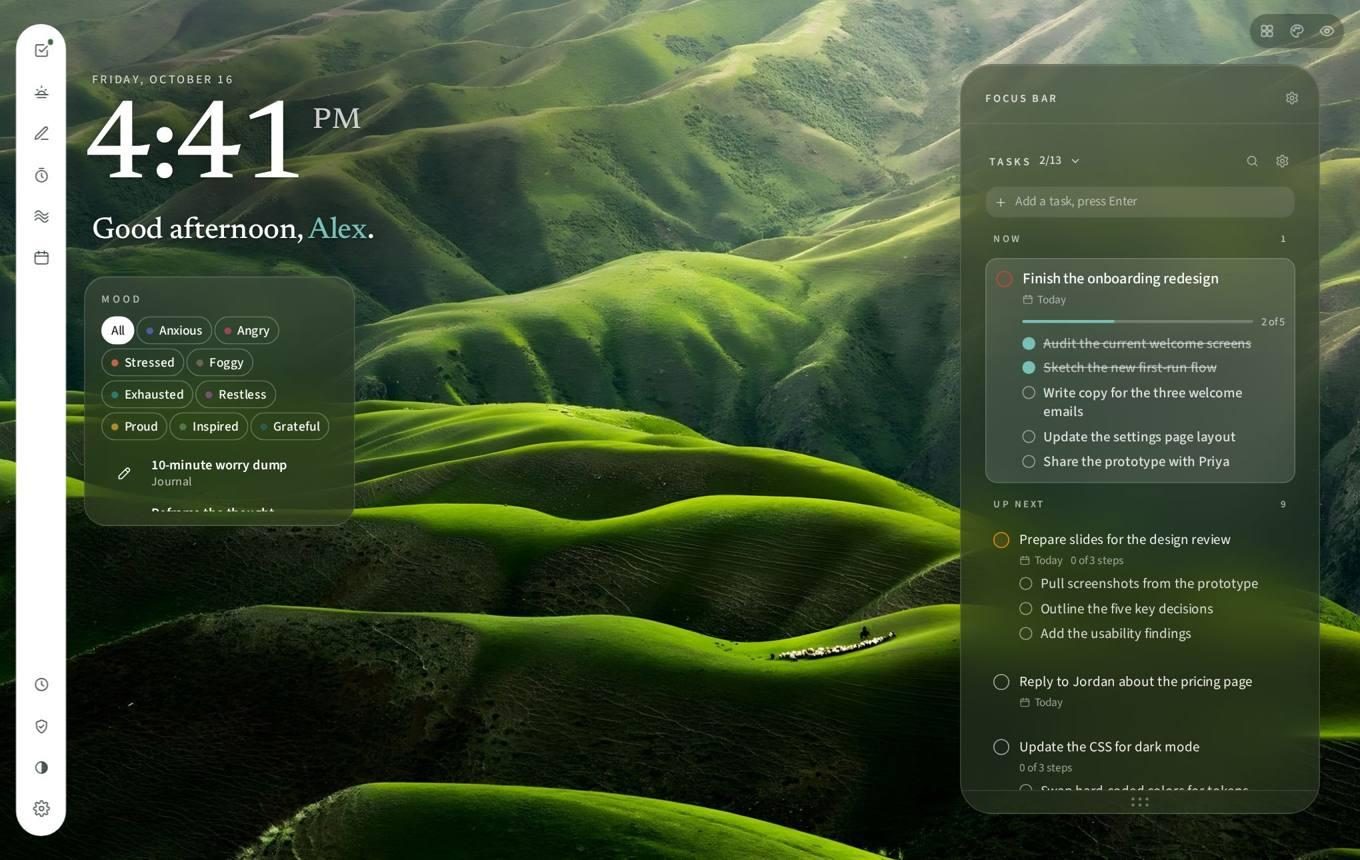
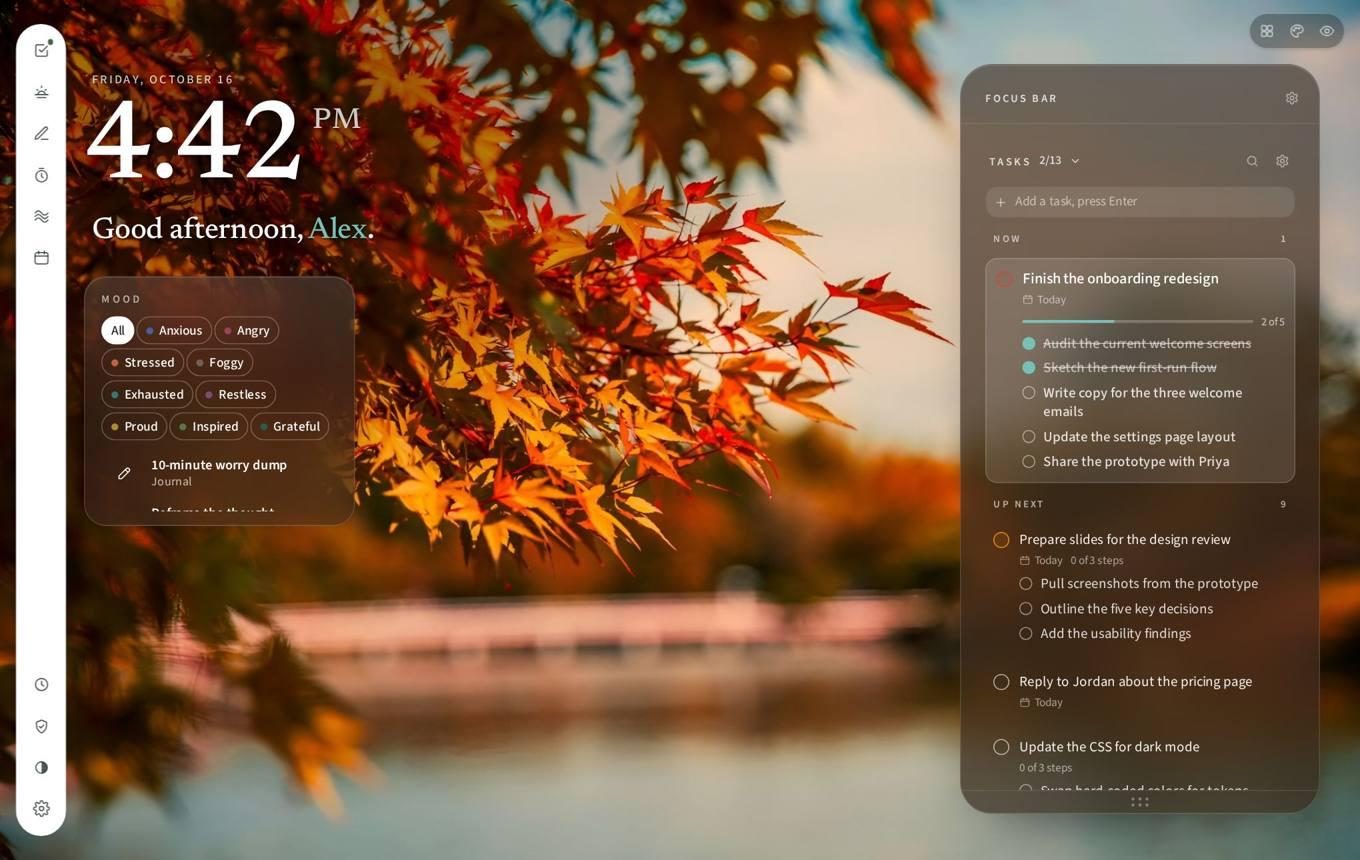
Time, one greeting, nothing else.
The time in large numerals, the date, a greeting that changes with the hour, and a mood row that quietly feeds the rest. Everything else lives a hover away. The wallpaper is yours; the ink adapts to it.
Cut: quick links, music, a weather widget, the "Today's ritual" line in the greeting.
Plan my day
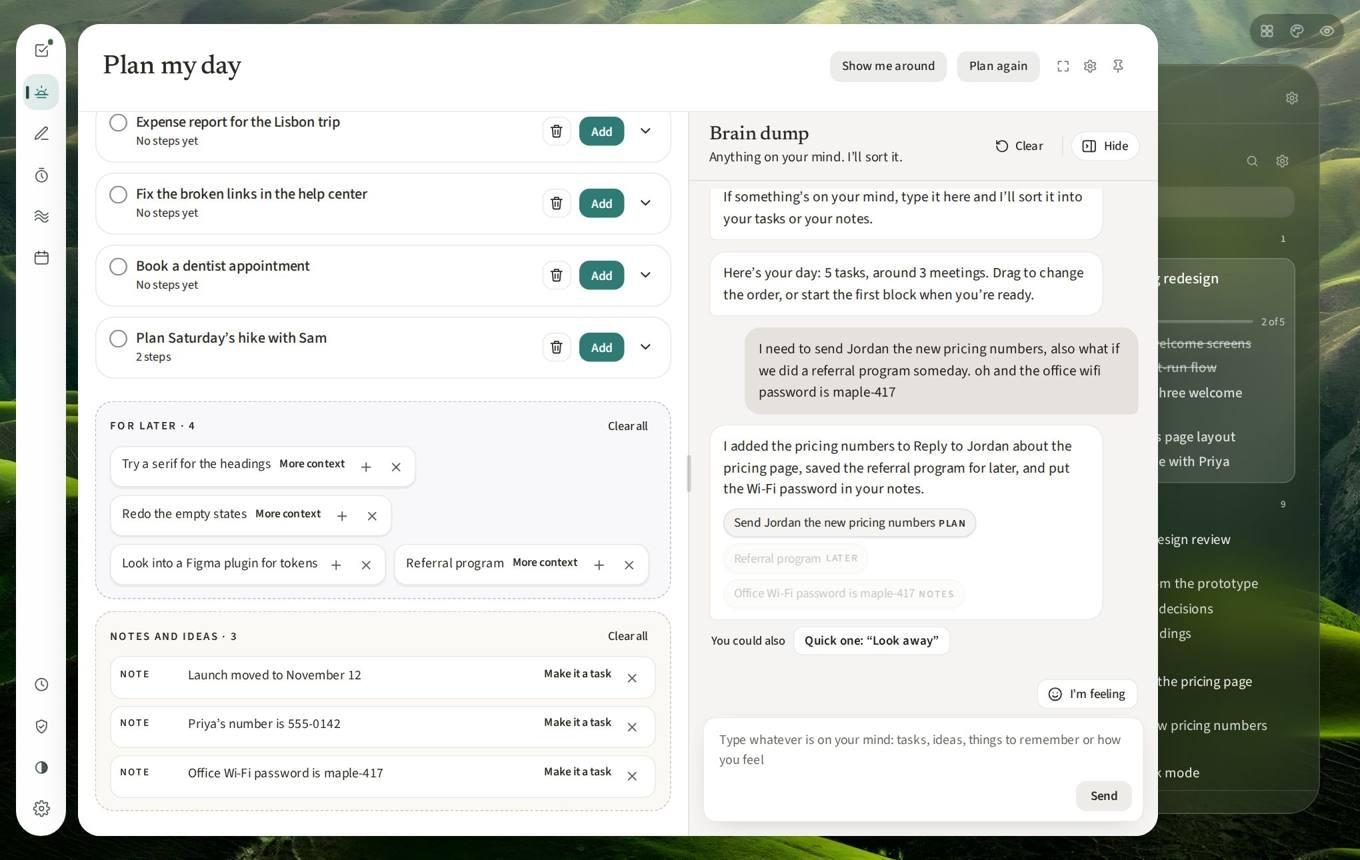
Plan the day, then empty your head.
Ritual looks at what is due, what matters and your calendar, picks the tasks it would, and lays them around your meetings with breaks between. Beside it, a brain dump: steps go into the right task, ideas go to For later, facts go to notes.
- It knows when it's not a task. Say you feel scattered and it offers a short exercise. Say you're stuck and it offers the smallest next step.
- Full sentences. "How are you feeling today?", not "How are you arriving?"
Tasks
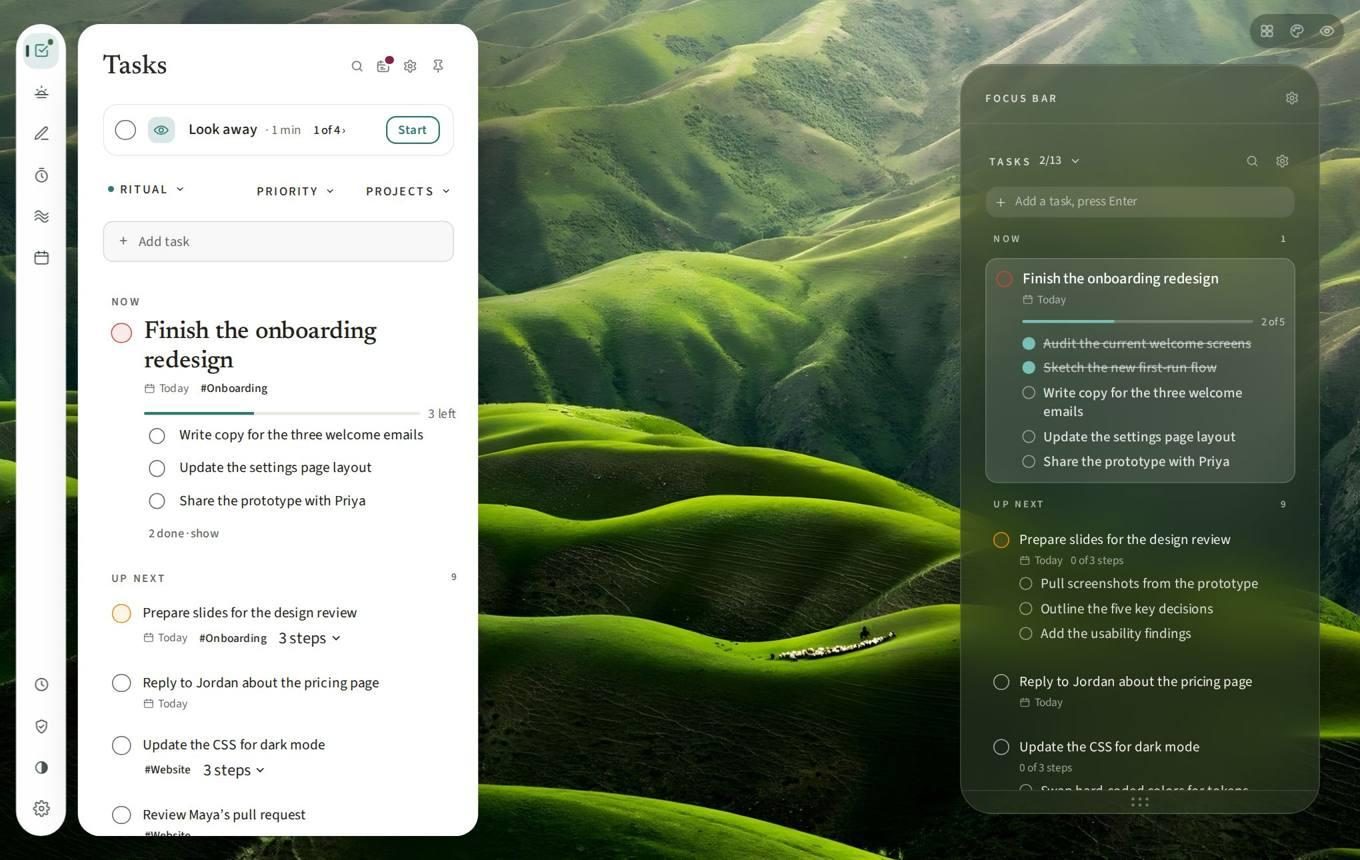
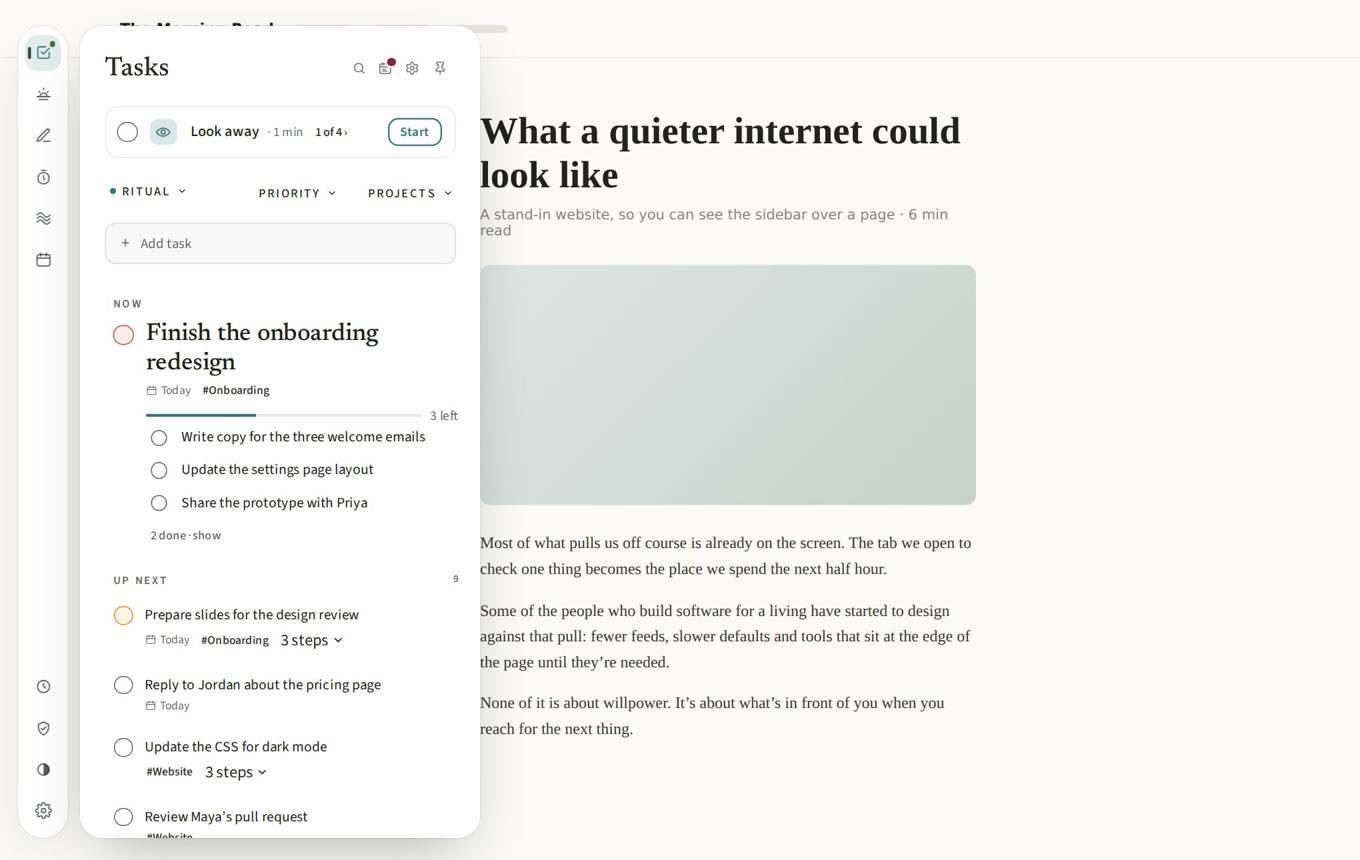
One thing in Now. The rest, up next.
Only one task fits in Now. Up next is the queue. Daily rituals sit above both as a row of cards, with streaks you can switch off. Todoist and Google Tasks sync in so this is the real list, not a copy.
- Break it down. One question about a task you've been avoiding, then a few small steps. It exists because the honest reason I bounced off tasks was not knowing the first step.
- Let it go marks a task done, never deletes it.
Deep Focus
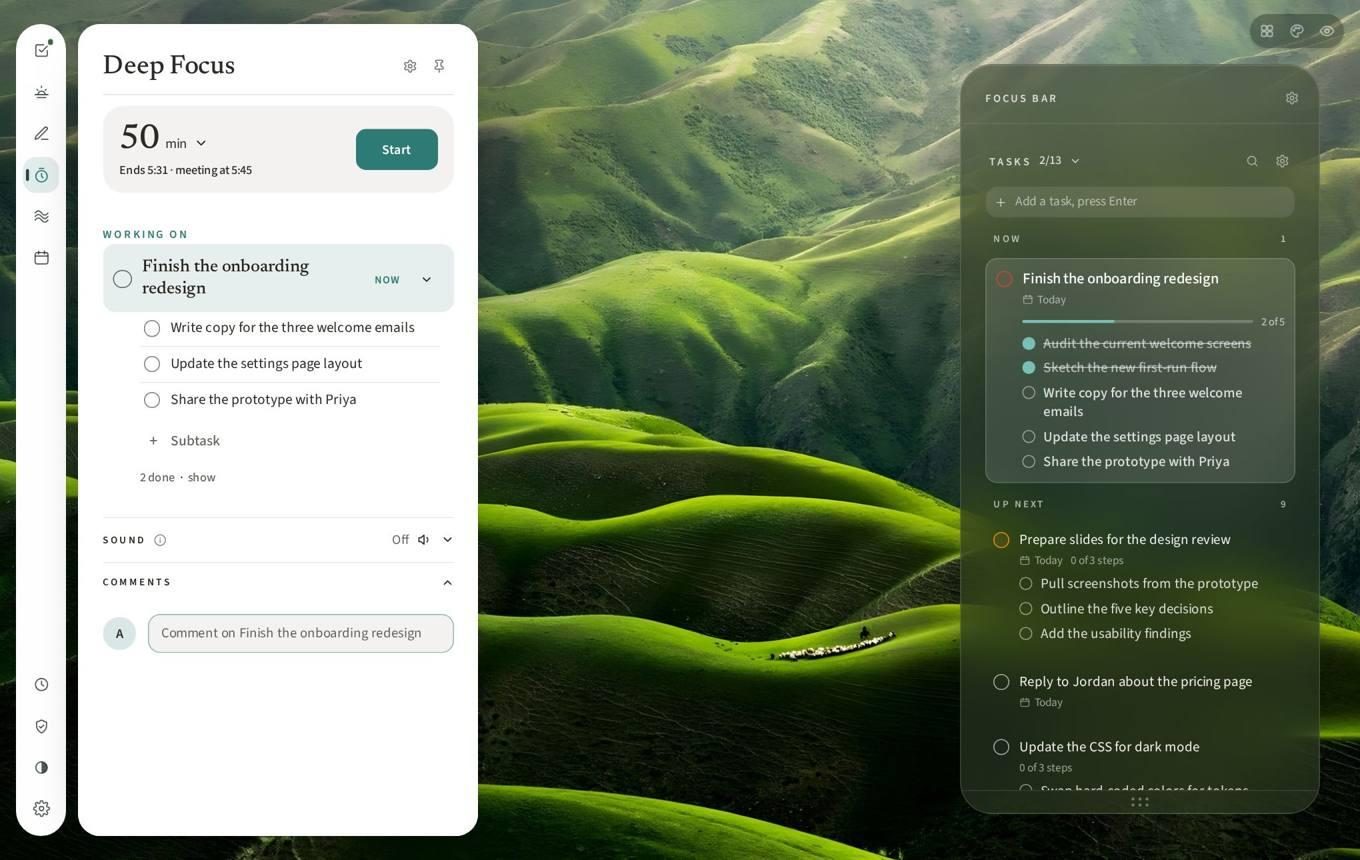
Give the next hour some shape.
A timer with the task you are on and its steps, a soundscape, and a bell at the end that sounds like a bell and not a notification. When it ends you can switch tasks from the same screen, because the old Done screen was a dead end.
Cut: pasted playlist links. The sounds are curated, and that is the feature.
Recharge and Journal
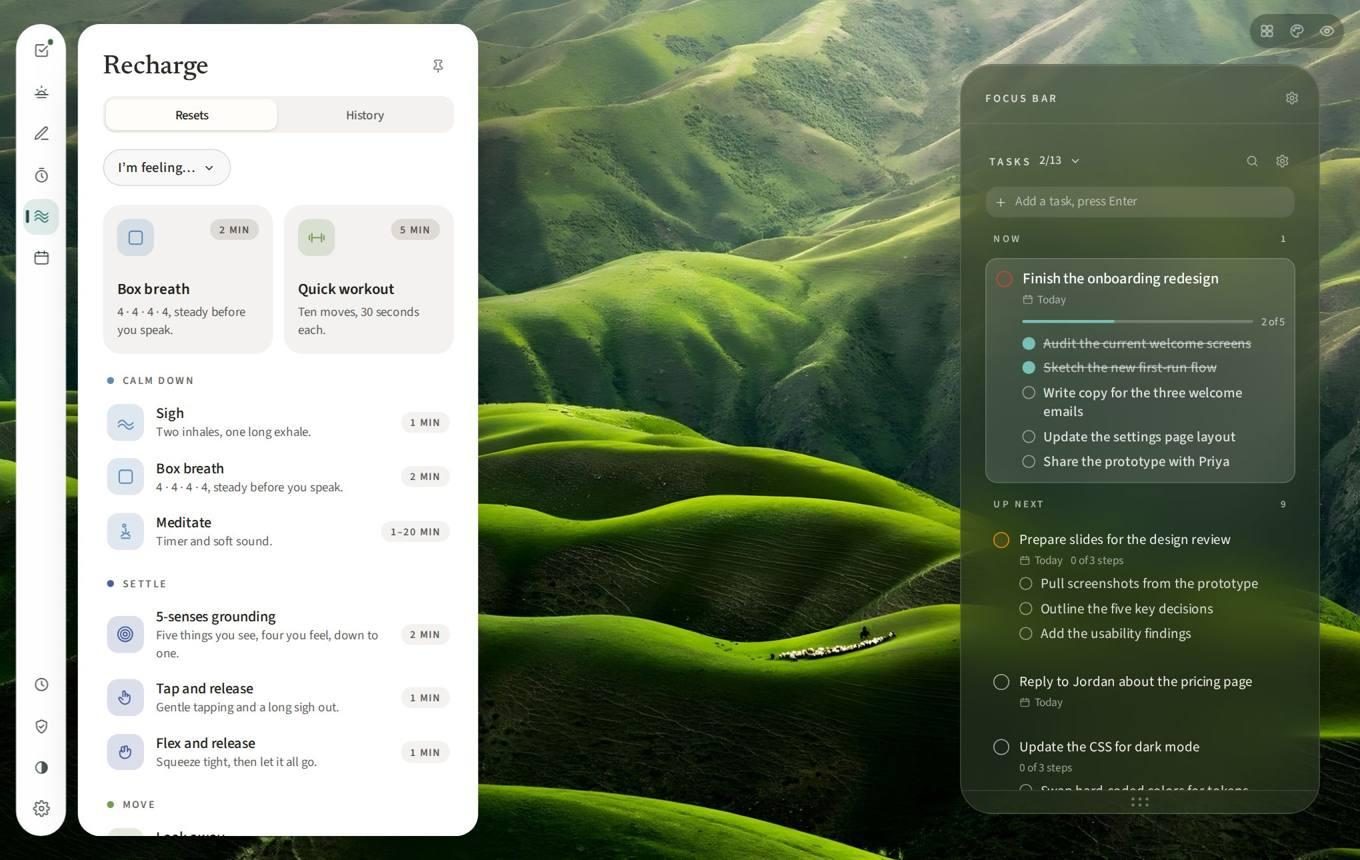
Small resets for how you feel.
Pick the feeling, pick the reset: a sigh, a box breath, a quick workout, five-senses grounding, a ten-minute worry dump with a timer. The journal is Write or Guided, and Guided is the same library filed under single-word feelings. All visible; none mandatory.
- Nothing reads the journal. No model, local or remote, ever analyses an entry. A line, not a setting.
- Breathing is never suggested. When I'm stuck, the useful nudge is "stand up", not "breathe".
Blocked sites
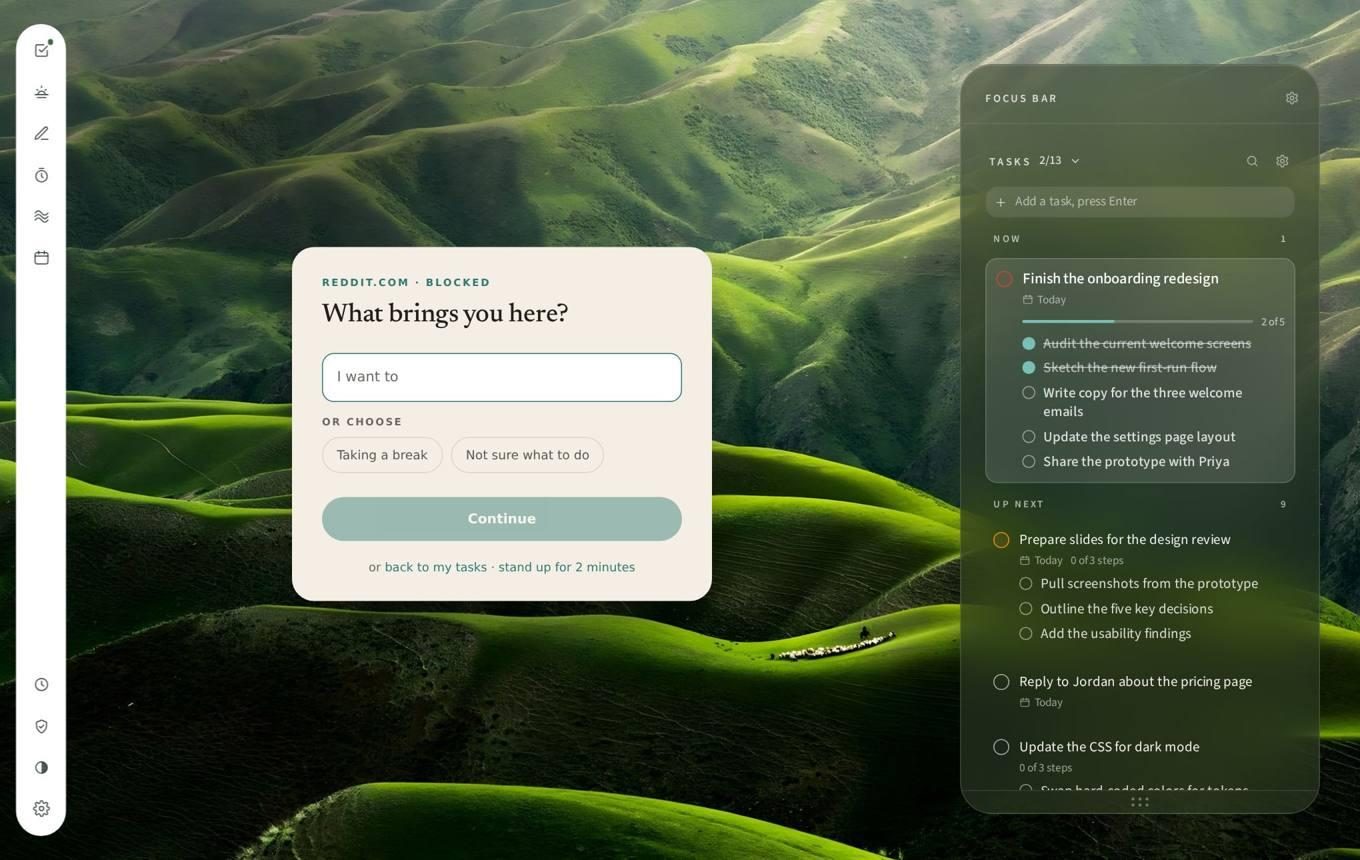
A moment to decide.
The turn-back screen you tried above, in place. Wildcard patterns, per-site schedules, and a substitute destination for each. Recolor and Quiet feeds live next to it: turn a site grey on a schedule, or hide just the feed and keep the search.
Calendar and Your time
See the day, and where it went.
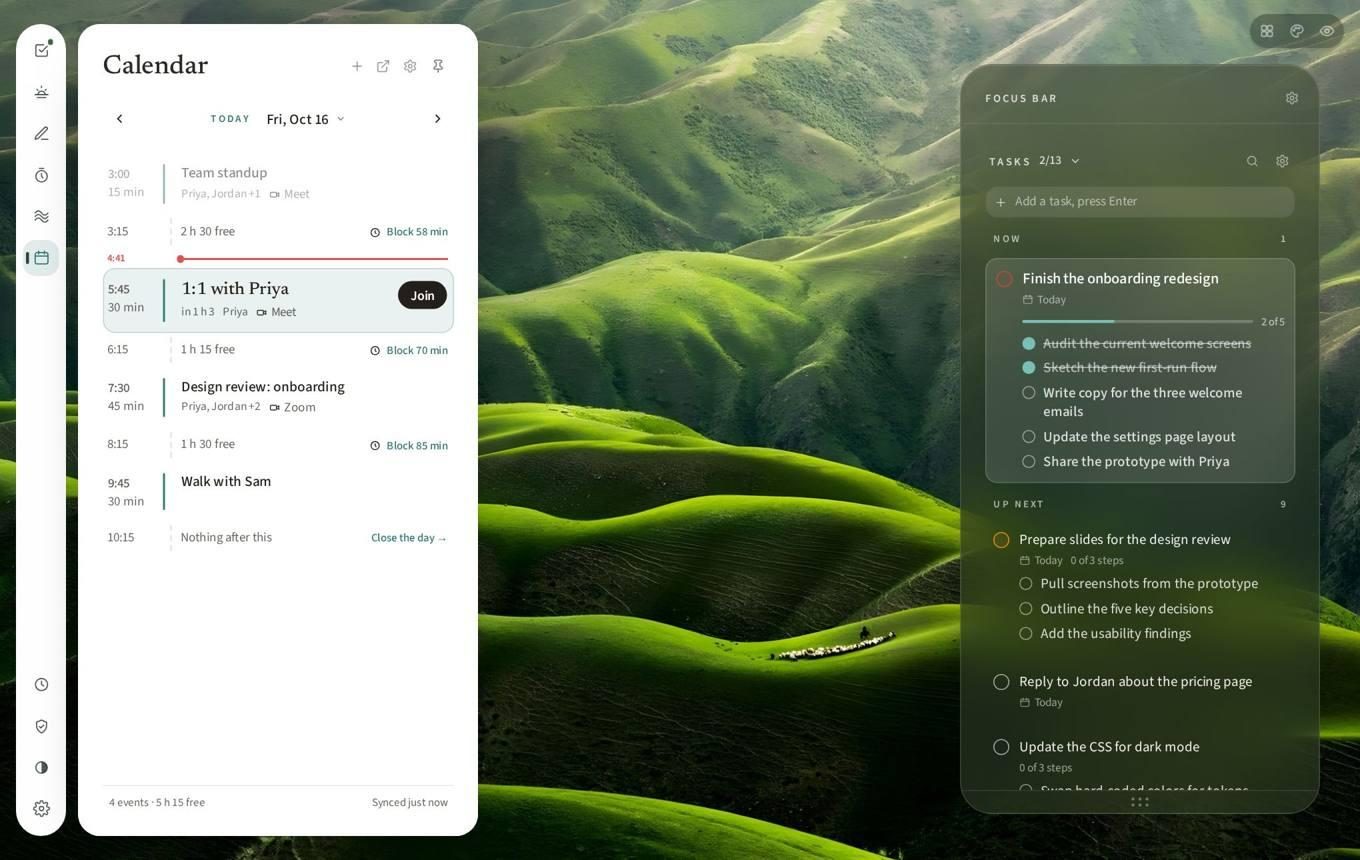
Calendar stays in the rail before it is connected, because a hidden calendar is one nobody sets up. Connected, it shows the day as a timeline with the free gaps as visible as the meetings and a Recharge button on each event. Your time counts time per site, locally, for you alone.
On every site
Your tools at the edge of the page.
The rail is opaque on ordinary sites (glass over arbitrary page content does not work), full height, one icon per tool. It opens on the whole thin left-edge strip, not just the handle, because the first version was fiddly and I kept missing it.
Make it yours
A room you set up yourself.
Wallpapers, including video; an accent colour on one hue scale rather than swatches; type; atmosphere. Personalisation is not decoration here. If you arranged the room, using it feels like a choice and not autopilot, and that is the whole thesis.